
Prime cost, menu costing and sales, in one place
In the black or in the red? Know which, and why.
ProfitServed turns your sales, labor and food costs into one clear weekly picture, and shows which dishes earn their place on your menu.
No card needed. Works with any point-of-sale export, CSV or Excel.
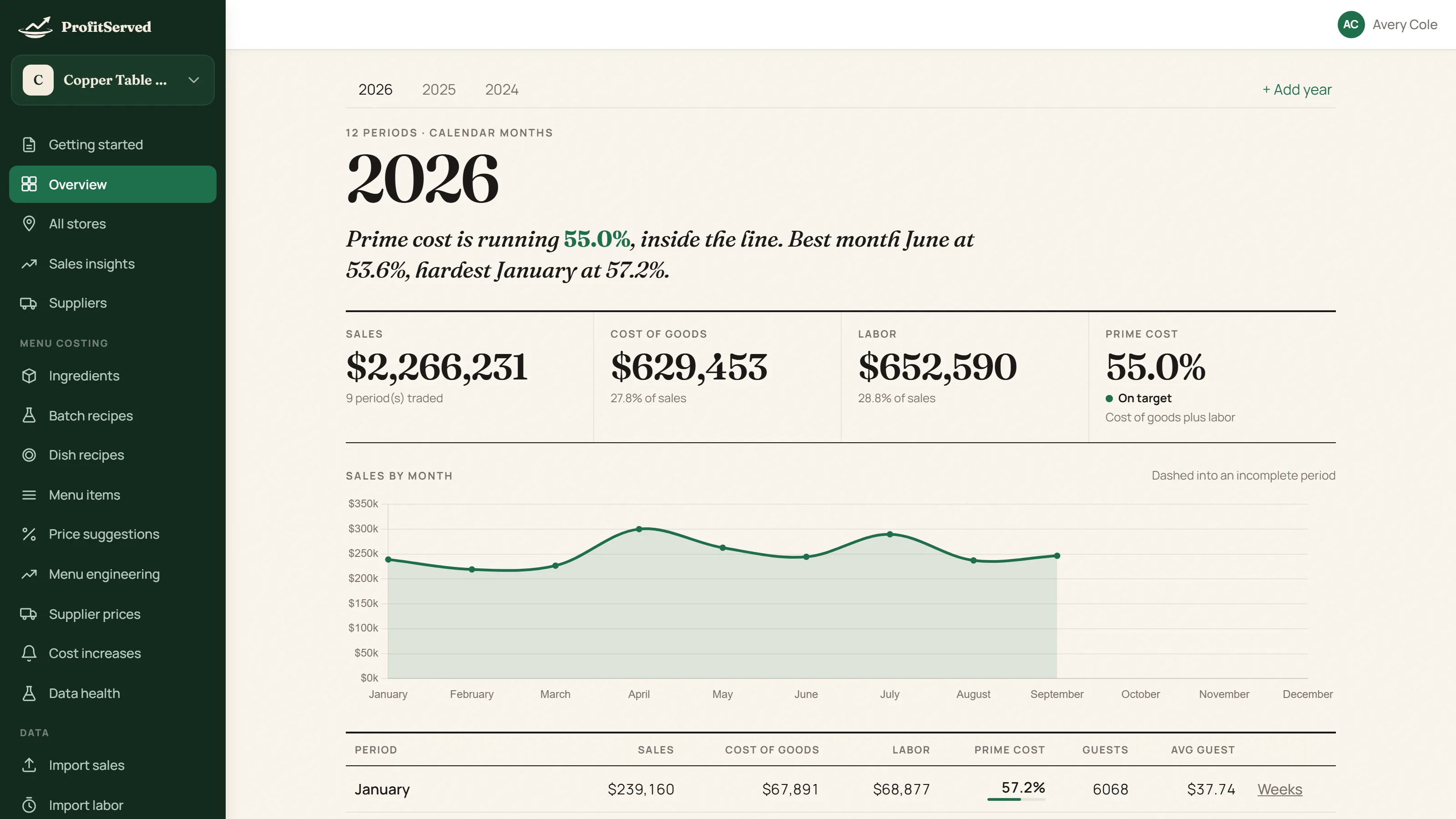
Prime cost, every week
Sales, cost of goods and labor in one row, against your target. Green when you are on it, red when you are not.
The reason, not just the number
See why weeks went over, how much more food you bought than you sold, and whether sales moved on guests or on spend per guest.
A menu that is costed
Every dish costed from its recipe, with the price that holds your margin when ingredient costs rise.
Bring it in
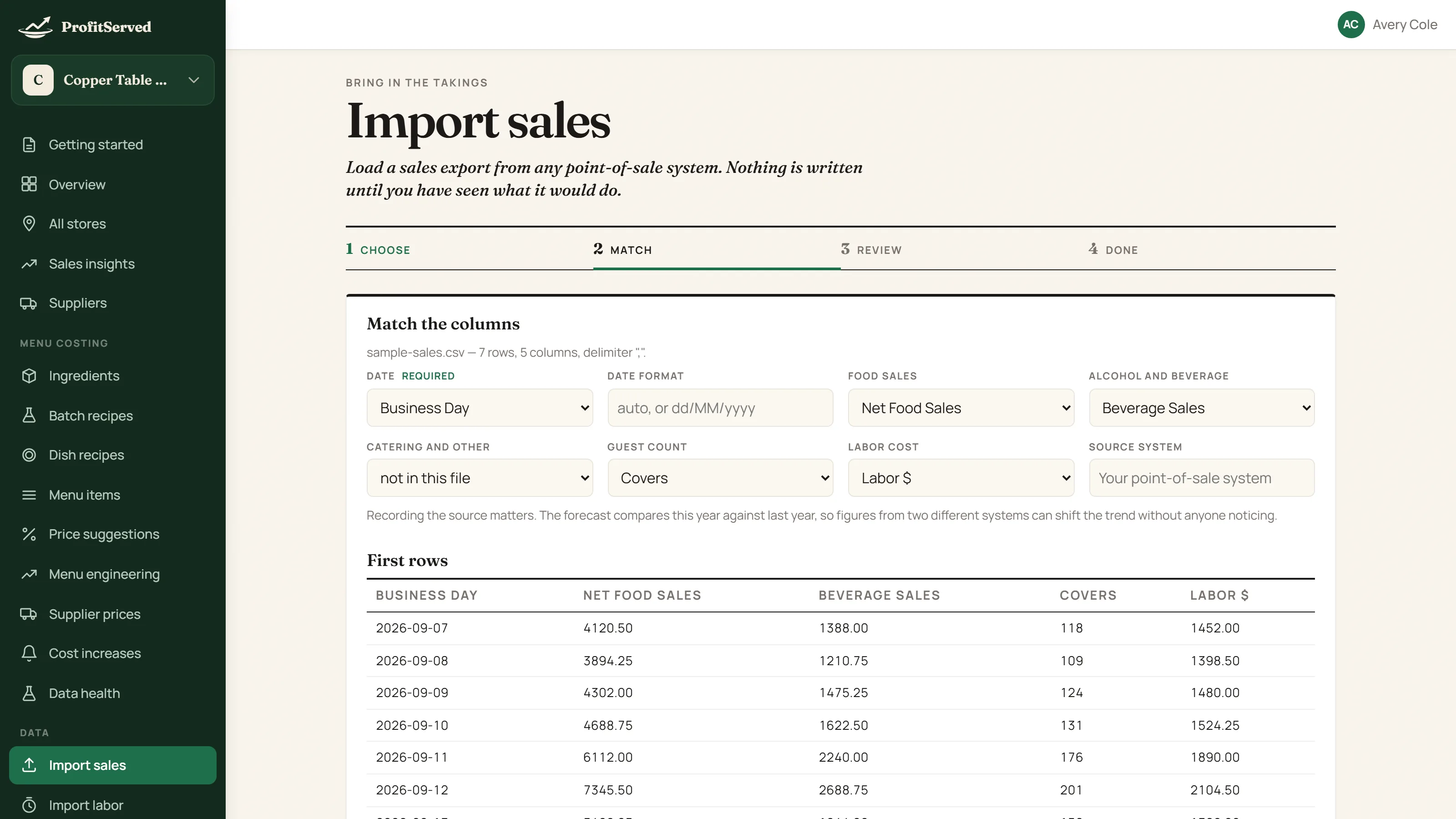
Bring in any file.
Export from your point-of-sale, your payroll or a spreadsheet, as CSV or Excel. Say which column is the date, the sales, the hours, once. ProfitServed shows exactly what would change before anything is saved, and remembers your choice for next time.
- Sales, labor, menu items and item-sales reports
- Saved column mappings for each restaurant
- Preview first: nothing is written until you have seen it
The weekly picture
See how the week landed.
Prime cost against your target, with the best and hardest months called out in plain words. Use the industry ranges or set a target of your own.
- Sales, cost of goods and labor side by side
- On target, watch or act, at a glance
- Where the year is heading, from the weeks so far
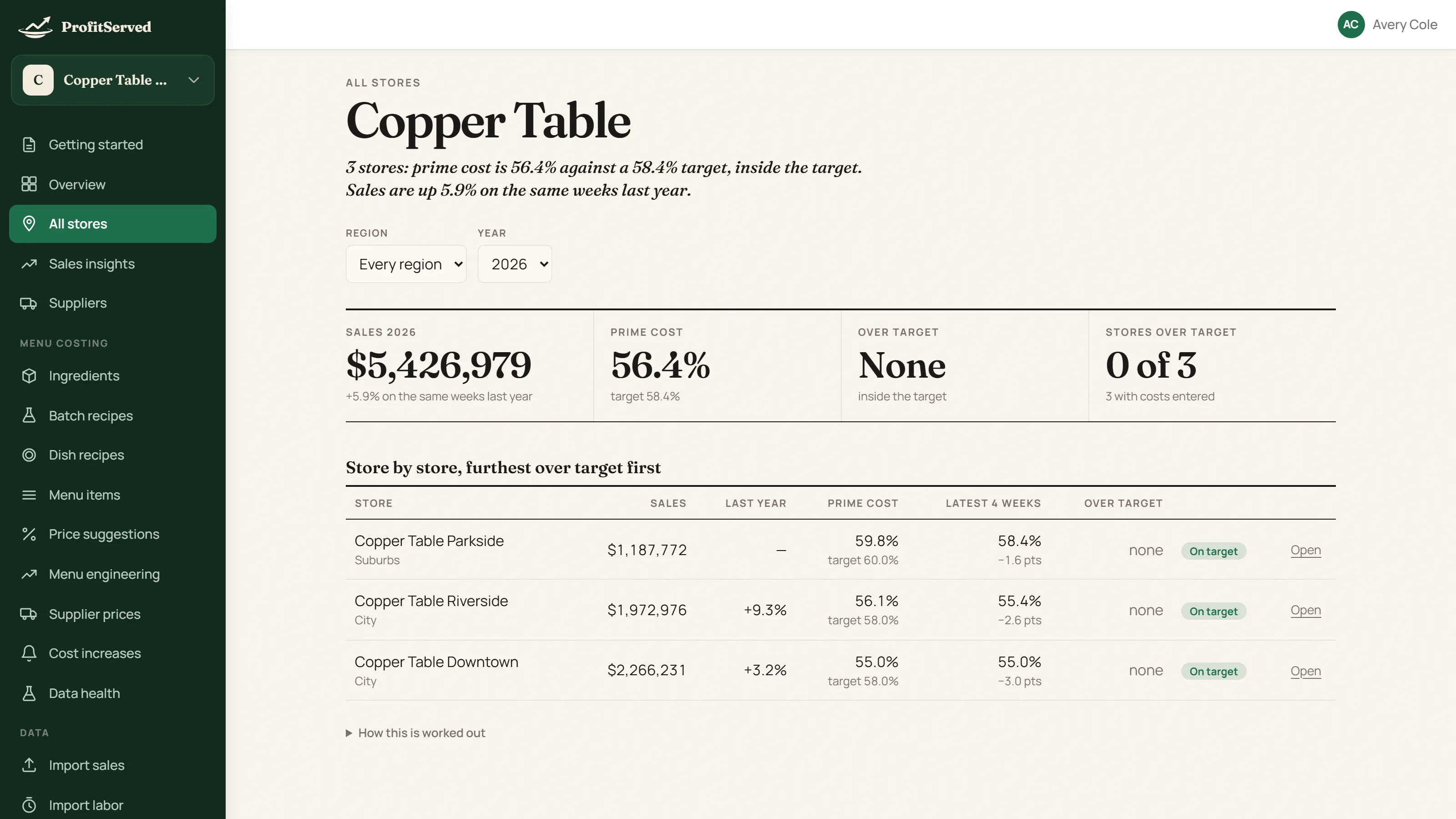
More than one restaurant
Every location, ranked.
Owners with several restaurants see them side by side, furthest over target first. New stores are left out of same-store sales so the comparison stays fair, and each manager sees only their own restaurant.
- Regions, groups and a store switcher
- Roles for owners, managers and viewers
- One bill for the group, priced per location
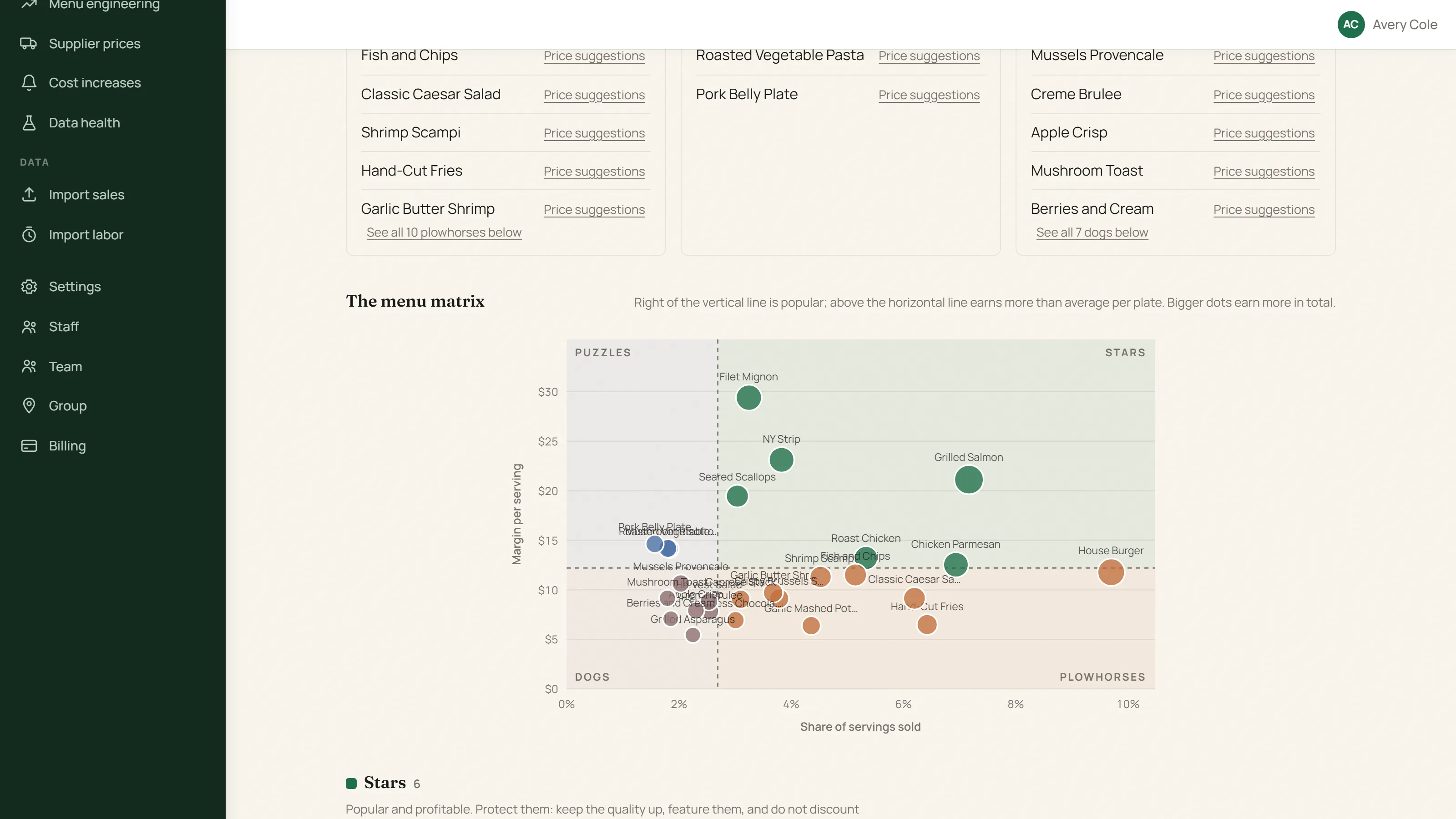
Menu engineering
Know which dishes earn their place.
From your own sales, every dish is placed as a star, a plowhorse, a puzzle or a dog, with a plain list of what to do next: reprice, promote or drop.
- Costs worked out from your recipes and supplier prices
- Reports for any period, kept as they were
- Straight to a price suggestion for any dish
When prices move
Costs up? See the price that holds.
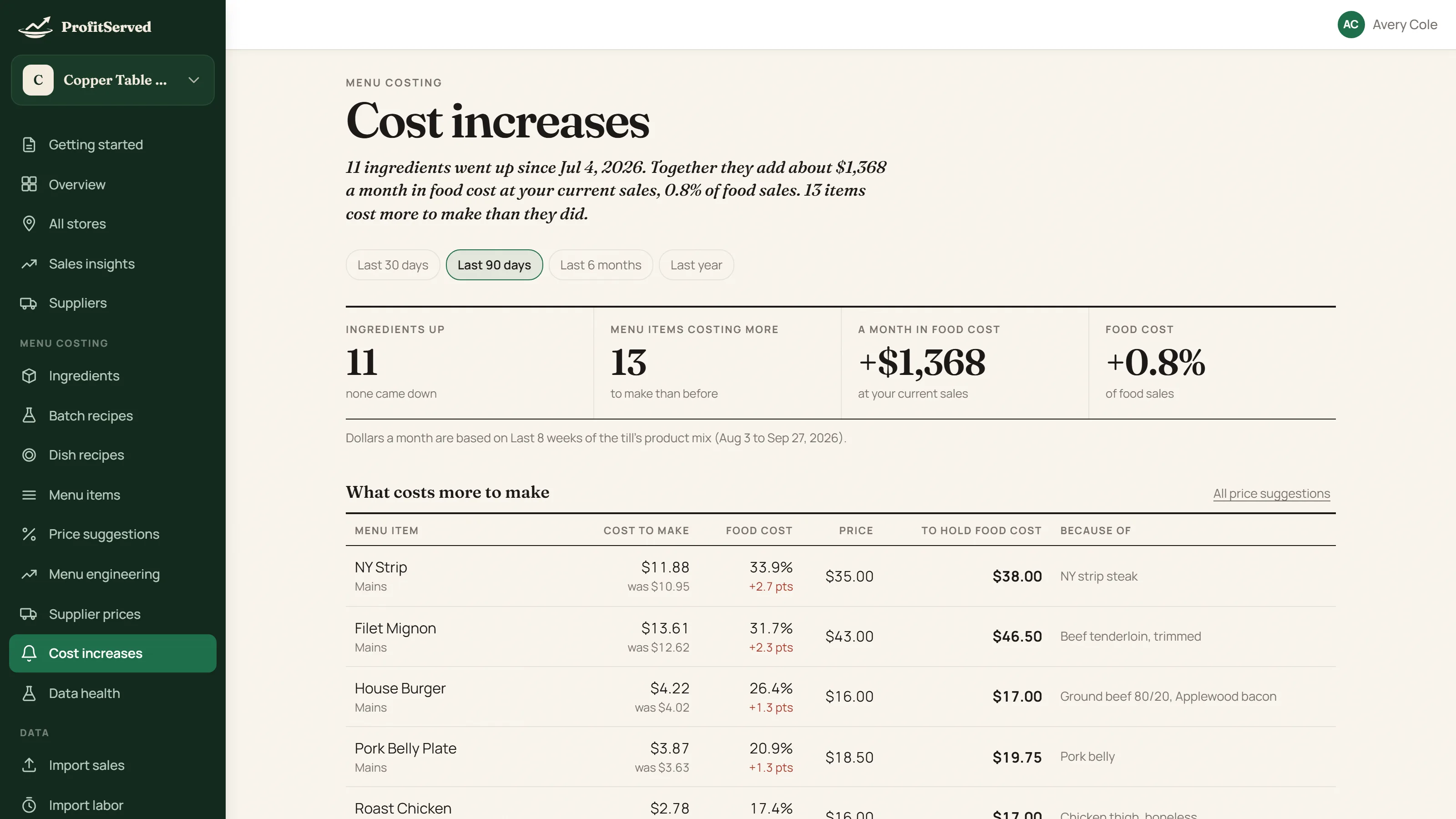
When a supplier raises a price, see which ingredients went up, which dishes now cost more to make, what it adds up to each month, and the menu price that keeps your food cost where it was.
- Price history for every ingredient
- Two suppliers, one item, compared on a servable unit
- Checks that flag a pack that does not add up
Thirty seconds
See it start to finish.
Works with the system you have
If it exports a CSV or Excel file, it works. Nothing to connect, nothing to wait for, and no lock-in to one point-of-sale.
Keeps your history
Bring in years of weeks, not just this one, so a trend means something and this year can be set against last.
Your data stays yours
If you stop, nothing is deleted: your data stays, read-only, for at least 90 days. See the Privacy Policy and Terms.
Plans
Start free. Choose a plan when you are ready.
Every account starts with a 30-day trial, no card needed. Plans are priced per location, by the month or the year; you see the prices in the app when you choose.
Starter
For one restaurant with a small team.
- Up to 3 people
- Priced per location
Pro
For restaurants with a bigger team.
- Up to 10 people
- Priced per location
Your free trial is a trial of Pro
Group
For three or more locations.
- As many people as you need
- Priced per location
Questions
Good to know
What do I need to get started?
A sales export from your point-of-sale system, as a CSV or Excel file. Labor, menu items and item-sales reports work the same way, and you can type weekly figures in by hand if you prefer. You match the columns once and ProfitServed remembers.
Does it work with my point-of-sale system?
If your system can export a CSV or Excel file with dates and sales in it, it works. There is nothing to connect and no integration to wait for, so it works the same whichever system you use today or switch to later.
What does the free trial include?
Thirty days of the full app with no card needed. When it ends the account becomes read-only until you choose a plan: you can still sign in, look at everything and export what the app lets you export, and nothing is deleted.
Can I add more restaurants and people?
Yes. Plans are priced per location, and each plan has a limit on how many people can have access. Owners see every restaurant, managers enter data for theirs, and viewers can read but not change anything.
Is my restaurant’s data private?
Each restaurant’s data is kept separate, and only people you invite can see it. The Privacy Policy and Terms of Service say how it is handled, and if you stop, your data stays read-only for at least 90 days.
How do I cancel?
From the Billing page in the app, in a couple of clicks. Access carries on to the end of the period you have paid for.
Who makes ProfitServed?
ProfitServed is made by Agile Tech Consulting, and it was built with a working restaurant.